

Cloud accounting represents a transformative shift in the way businesses manage their financial data. Unlike traditional accounting systems that rely on local servers and software installations, cloud accounting leverages the power of the internet to store, manage, and process financial information. This paradigm shift allows businesses of all sizes to access their financial data from anywhere, at any time, using any device with internet connectivity.
The rise of cloud computing has made it possible for small and medium-sized enterprises (SMEs) to utilize sophisticated accounting tools that were once only accessible to larger corporations with substantial IT budgets. The evolution of cloud accounting has been driven by the need for greater flexibility, scalability, and collaboration in financial management. As businesses increasingly operate in a globalized environment, the demand for real-time financial insights has surged.

Cloud accounting solutions provide businesses with the ability to generate reports, track expenses, and manage cash flow in real-time, enabling informed decision-making. Furthermore, the subscription-based model of cloud accounting software often reduces upfront costs, making it an attractive option for startups and growing businesses looking to optimize their financial operations without incurring significant capital expenditures.
Key Takeaways
- Cloud accounting offers real-time financial data access and streamlined bookkeeping.
- Key benefits include cost savings, scalability, and improved collaboration.
- Selecting software requires evaluating features, user-friendliness, and integration capabilities.
- Proper setup involves data migration, user training, and customizing settings to business needs.
- Ensuring security and privacy is critical, with measures like encryption and regular backups.
Benefits of Cloud Accounting

One of the most significant advantages of cloud accounting is its accessibility. With traditional accounting systems, accessing financial data often required being physically present at the office or having specific software installed on a local machine. In contrast, cloud accounting allows users to log in from any location, whether they are at home, traveling, or working remotely.
This level of accessibility is particularly beneficial in today’s increasingly mobile workforce, where employees may need to collaborate on financial matters from different geographical locations. Another key benefit is the automatic updates and maintenance that cloud accounting solutions provide. In traditional systems, businesses often faced challenges related to software updates, which could lead to compatibility issues or security vulnerabilities.
Cloud accounting providers typically handle all updates and maintenance tasks, ensuring that users always have access to the latest features and security enhancements without needing to invest time or resources into managing these processes themselves. This not only saves time but also allows businesses to focus on their core operations rather than IT management.
Choosing the Right Cloud Accounting Software
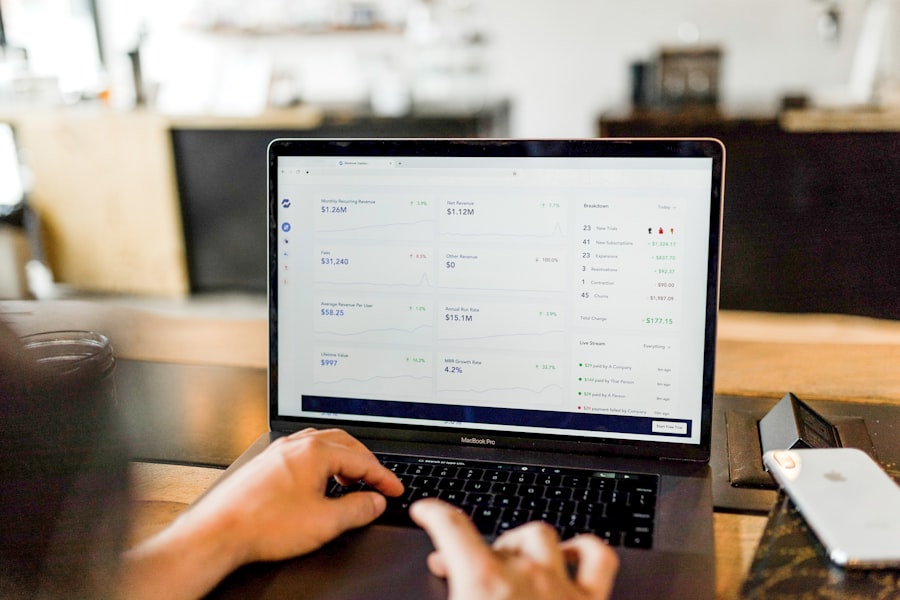
Selecting the appropriate cloud accounting software is a critical decision that can significantly impact a business’s financial management capabilities. When evaluating different options, it is essential to consider factors such as scalability, user-friendliness, and integration capabilities. A solution that can grow alongside a business is vital; as companies expand, their accounting needs may become more complex.
Therefore, choosing software that can accommodate increased transaction volumes and additional users without compromising performance is crucial. Moreover, user experience plays a pivotal role in the effectiveness of cloud accounting software. A platform that is intuitive and easy to navigate can enhance productivity by reducing the learning curve for employees.
Additionally, businesses should assess the integration capabilities of potential software solutions. Many organizations rely on various tools for customer relationship management (CRM), inventory management, and payroll processing. A cloud accounting solution that seamlessly integrates with these systems can streamline workflows and eliminate data silos, ultimately leading to more efficient financial management.
Setting Up Cloud Accounting for Your Business
Implementing cloud accounting requires careful planning and execution to ensure a smooth transition from traditional systems or manual processes. The first step in setting up cloud accounting is to define clear objectives and requirements based on the specific needs of the business. This may involve identifying key stakeholders who will use the system and gathering input on desired features and functionalities.
By involving team members in the decision-making process, businesses can foster buy-in and ensure that the chosen solution meets their operational needs. Once a cloud accounting solution has been selected, the next phase involves data migration. This process entails transferring existing financial data from legacy systems into the new cloud platform.
It is essential to conduct thorough data cleansing before migration to eliminate inaccuracies or duplicates that could compromise financial reporting. After migration, businesses should establish protocols for ongoing data entry and management to maintain accuracy and consistency in their financial records. Training sessions for employees on how to use the new system effectively can also facilitate a smoother transition and enhance overall user adoption.
Managing Finances with Cloud Accounting
| Metric | Description | Typical Value / Range | Unit |
|---|---|---|---|
| Adoption Rate | Percentage of businesses using cloud-based accounting software | 60 – 75 | % |
| Average Cost Savings | Reduction in accounting software and maintenance costs | 20 – 40 | % |
| Data Backup Frequency | How often data is automatically backed up in cloud systems | Daily to Real-time | Frequency |
| Integration Capability | Number of third-party apps typically integrated | 10 – 50 | Apps |
| Uptime Guarantee | Service availability promised by cloud accounting providers | 99.9 – 99.99 | % |
| Data Security Level | Common security certifications held by providers | ISO 27001, SOC 2 | Certifications |
| Time Saved on Accounting Tasks | Reduction in manual accounting time after adoption | 30 – 50 | % |
| Scalability | Ability to add users or features without downtime | High | Qualitative |
Cloud accounting provides businesses with powerful tools for managing their finances more effectively than ever before. One of the primary functions of these systems is real-time reporting, which allows organizations to generate financial statements and performance metrics on demand. This capability enables business owners and managers to monitor key performance indicators (KPIs) continuously, facilitating proactive decision-making rather than reactive responses to financial challenges.
Additionally, cloud accounting solutions often include features such as automated invoicing and expense tracking. Automated invoicing streamlines the billing process by generating invoices based on predefined templates and sending them directly to clients via email. This not only saves time but also reduces the likelihood of human error in billing processes.
Expense tracking features allow businesses to capture receipts digitally and categorize expenses automatically, providing a comprehensive view of spending patterns that can inform budgeting decisions.
Integrating Cloud Accounting with Other Business Tools

The true power of cloud accounting is realized when it is integrated with other business tools and applications. Many organizations utilize various software solutions for different aspects of their operations, such as customer relationship management (CRM), project management, and inventory control. By integrating cloud accounting with these systems, businesses can create a cohesive ecosystem that enhances data flow and operational efficiency.
For instance, integrating a cloud accounting solution with a CRM system can provide valuable insights into customer profitability by linking sales data directly with financial performance metrics. This integration allows businesses to analyze which customers are generating the most revenue and which may require additional attention due to outstanding invoices or payment delays. Similarly, connecting cloud accounting with inventory management software can help businesses maintain optimal stock levels by providing real-time visibility into inventory costs and sales trends.
Security and Privacy Considerations in Cloud Accounting
As businesses increasingly rely on cloud accounting solutions, security and privacy considerations become paramount. Storing sensitive financial data in the cloud raises concerns about unauthorized access and data breaches. Reputable cloud accounting providers implement robust security measures such as encryption, multi-factor authentication, and regular security audits to protect user data from potential threats.
Moreover, businesses must also take proactive steps to safeguard their information when using cloud accounting software. This includes establishing strong password policies, regularly updating access permissions for employees based on their roles, and conducting employee training on cybersecurity best practices. Understanding the provider’s data privacy policies is also crucial; businesses should ensure that their chosen solution complies with relevant regulations such as GDPR or CCPA if they handle personal data from customers or employees.
Tips for Maximizing the Efficiency of Cloud Accounting
To fully leverage the benefits of cloud accounting, businesses should adopt best practices that enhance efficiency and effectiveness in their financial management processes. One key tip is to automate routine tasks wherever possible. Many cloud accounting solutions offer automation features for invoicing, expense tracking, and bank reconciliations that can save time and reduce errors associated with manual entry.
Additionally, regular reviews of financial reports can help identify trends or anomalies that may require attention. By scheduling monthly or quarterly reviews of key financial statements such as profit and loss statements or cash flow forecasts, businesses can stay informed about their financial health and make timely adjustments as needed. Furthermore, fostering a culture of collaboration among team members who interact with financial data can lead to improved communication and more accurate reporting.
In conclusion, embracing cloud accounting offers numerous advantages for businesses seeking to optimize their financial management processes. By understanding its benefits, carefully selecting appropriate software solutions, implementing best practices for setup and integration, prioritizing security measures, and fostering collaboration among team members, organizations can maximize efficiency and gain valuable insights into their financial performance in an increasingly competitive landscape.

