

Wave Invoicing is a powerful tool designed for small business owners and freelancers who seek a streamlined approach to managing their invoicing needs. As part of the broader Wave suite, which includes accounting and receipt scanning features, Wave Invoicing stands out for its user-friendly interface and robust functionality. The platform allows users to create professional invoices quickly, track payments, and manage customer relationships without the burden of complex software or high costs.
This makes it particularly appealing for entrepreneurs who may not have extensive accounting backgrounds but still require effective financial management tools. The significance of efficient invoicing cannot be overstated in the realm of business operations. Timely and accurate invoicing is crucial for maintaining cash flow, ensuring that businesses can meet their financial obligations and invest in growth opportunities.
Wave Invoicing not only simplifies the invoicing process but also enhances the overall financial health of a business by providing insights into outstanding payments and customer behavior. By leveraging this tool, users can focus more on their core business activities while ensuring that their invoicing processes are both efficient and effective.
Key Takeaways
- Wave Invoicing offers a user-friendly platform for creating and managing professional invoices.
- Setting up an account is straightforward, enabling quick access to invoicing tools.
- Invoices can be customized with branding and payment options to suit business needs.
- Automation features like recurring invoices help save time and ensure consistent billing.
- Built-in tracking and reporting tools provide valuable insights to improve invoicing efficiency.
Setting up Your Wave Account
Creating a Wave account is a straightforward process that can be completed in just a few minutes. To begin, users need to visit the Wave website and click on the “Sign Up” button. The registration process requires basic information such as an email address and a password.
Once registered, users will receive a confirmation email to verify their account. After confirming their email, they can log in to their new Wave account and start exploring the various features available. Upon logging in for the first time, users are guided through an onboarding process that helps them set up their business profile.
This includes entering essential details such as the business name, address, and type of services offered. Additionally, users can customize their account settings to align with their specific needs, such as selecting their preferred currency and tax settings. This initial setup is crucial as it lays the foundation for all future invoicing activities, ensuring that invoices reflect accurate information and comply with local regulations.
Creating and Customizing Invoices

Once the account is set up, users can begin creating invoices with ease. Wave Invoicing offers a variety of templates that cater to different business needs, allowing users to select a design that best represents their brand. The invoice creation process is intuitive; users simply need to fill in details such as the customer’s name, invoice date, due date, item descriptions, quantities, and prices.
This straightforward approach minimizes the time spent on administrative tasks, enabling users to focus on delivering their services. Customization options further enhance the invoicing experience. Users can add their logo, choose color schemes, and modify fonts to ensure that invoices are visually appealing and consistent with their brand identity.
Additionally, Wave allows for the inclusion of personalized messages or terms and conditions at the bottom of invoices, which can help clarify payment expectations or provide additional context about services rendered. This level of customization not only improves professionalism but also fosters stronger relationships with clients by presenting a polished image.
Integrating Payment Options
One of the standout features of Wave Invoicing is its ability to integrate various payment options directly into invoices. This functionality is essential for facilitating prompt payments and enhancing customer convenience. Users can enable credit card payments and bank transfers through Wave Payments, which allows clients to pay invoices online with just a few clicks.
This integration significantly reduces the friction often associated with traditional payment methods, such as checks or cash. Moreover, offering multiple payment options can cater to diverse client preferences, ultimately leading to faster payment cycles. For instance, some clients may prefer the security and speed of credit card transactions, while others might opt for bank transfers due to lower fees.
By accommodating these preferences, businesses can improve their cash flow and reduce the likelihood of late payments. Additionally, Wave provides users with notifications when payments are received, ensuring that they stay informed about their financial status in real-time.
Automating Recurring Invoices
| Metric | Description | Typical Value | Notes |
|---|---|---|---|
| Invoice Creation Time | Average time to create an invoice using Wave | 2-5 minutes | Depends on invoice complexity and user familiarity |
| Payment Processing Fee | Fee charged by Wave for payment processing | 1.4% + 0.30 per transaction (debit) | Credit card fees are higher, typically 2.9% + 0.30 |
| Invoice Customization Options | Number of customizable fields and templates | 5+ templates, customizable logo, colors, and fields | Allows branding and professional appearance |
| Recurring Invoice Setup Time | Time to set up recurring invoices | 3-7 minutes | Includes frequency and automatic payment options |
| Invoice Delivery Methods | Ways to send invoices to clients | Email, PDF download, direct link | Supports automatic reminders |
| Late Payment Reminders | Automated reminders sent for overdue invoices | Yes, customizable frequency | Helps improve cash flow |
| Multi-Currency Support | Ability to invoice in different currencies | Yes | Supports exchange rate updates |
| Mobile App Availability | Availability of Wave invoicing on mobile devices | iOS and Android apps | Enables invoicing on the go |
For businesses that offer subscription-based services or have clients with ongoing contracts, automating recurring invoices is a game-changer. Wave Invoicing allows users to set up recurring billing schedules that automatically generate invoices at specified intervals—be it weekly, monthly, or annually. This feature not only saves time but also ensures that businesses do not miss out on revenue due to oversight or forgetfulness.
Setting up recurring invoices is a simple process within Wave. Users can specify the frequency of billing, the amount due, and any applicable taxes or discounts. Once configured, these invoices are automatically sent to clients according to the established schedule without any further action required from the user.
This automation not only streamlines operations but also enhances customer satisfaction by providing consistent billing practices. Clients appreciate knowing when to expect invoices, which can foster trust and reliability in business relationships.
Tracking and Managing Invoice Status
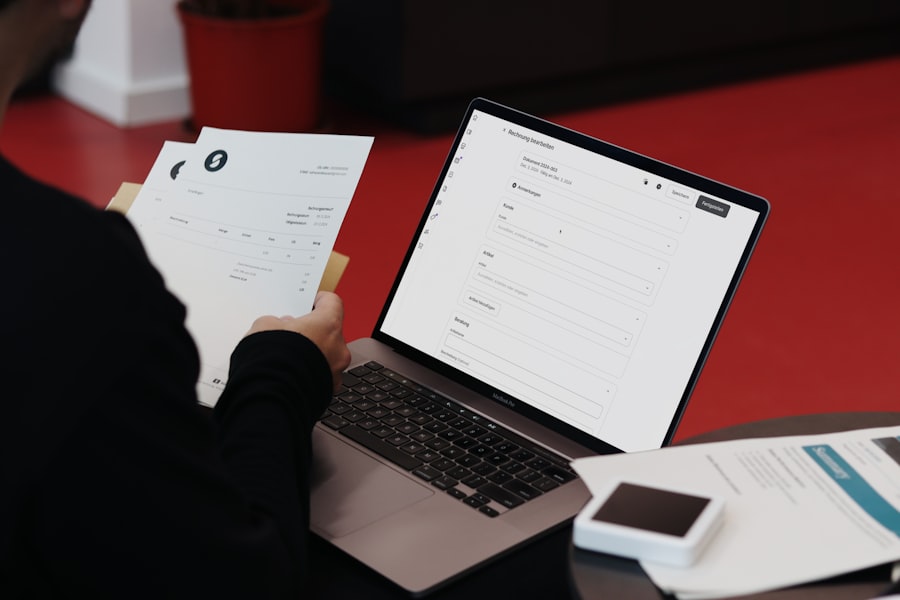
Effective invoice management is critical for maintaining healthy cash flow and ensuring timely payments. Wave Invoicing provides users with comprehensive tools for tracking invoice status throughout the billing cycle. Users can easily view whether an invoice has been sent, viewed by the client, or paid.
This visibility allows businesses to follow up on outstanding invoices proactively and address any issues that may arise. The dashboard within Wave offers an overview of all invoices, categorized by status—paid, unpaid, or overdue—making it easy for users to prioritize their follow-up efforts. Additionally, automated reminders can be set up to notify clients of upcoming due dates or overdue payments.
This feature not only helps in reducing late payments but also reinforces professionalism by demonstrating that the business is organized and attentive to its financial responsibilities.
Generating Reports and Insights
Wave Invoicing goes beyond basic invoicing capabilities by offering robust reporting features that provide valuable insights into a business’s financial health. Users can generate various reports that detail income sources, outstanding invoices, and payment histories. These reports are instrumental in helping business owners understand their cash flow dynamics and make informed decisions regarding budgeting and forecasting.
For instance, an income report can highlight which services or products are generating the most revenue over a specific period. This information can guide marketing strategies or inform decisions about resource allocation. Similarly, tracking overdue invoices through reports allows businesses to identify patterns in late payments and adjust their invoicing practices accordingly.
By leveraging these insights, users can enhance their financial strategies and drive growth more effectively.
Tips for Improving Invoicing Efficiency
To maximize the benefits of Wave Invoicing, businesses should consider implementing several best practices aimed at improving invoicing efficiency. First and foremost, maintaining accurate client information is essential. Regularly updating contact details ensures that invoices reach clients promptly and reduces the chances of miscommunication regarding payments.
Another effective strategy is to establish clear payment terms upfront when engaging with clients. Clearly stating due dates and accepted payment methods on invoices helps set expectations from the outset and minimizes confusion later on. Additionally, businesses should consider sending invoices promptly after services are rendered or products delivered; this practice reinforces timely payment behavior among clients.
Furthermore, utilizing Wave’s automation features can significantly enhance efficiency. By automating recurring invoices and setting up reminders for overdue payments, businesses can reduce manual workload while ensuring consistent cash flow management. Finally, regularly reviewing financial reports generated by Wave can help identify areas for improvement in invoicing practices and overall financial health.
In conclusion, Wave Invoicing offers a comprehensive solution for small businesses seeking to streamline their invoicing processes while maintaining professionalism and efficiency. By leveraging its features—from creating customized invoices to automating recurring billing—users can enhance their financial management practices significantly. With careful attention to best practices and ongoing engagement with the platform’s capabilities, businesses can optimize their invoicing processes and ultimately contribute to their long-term success.

